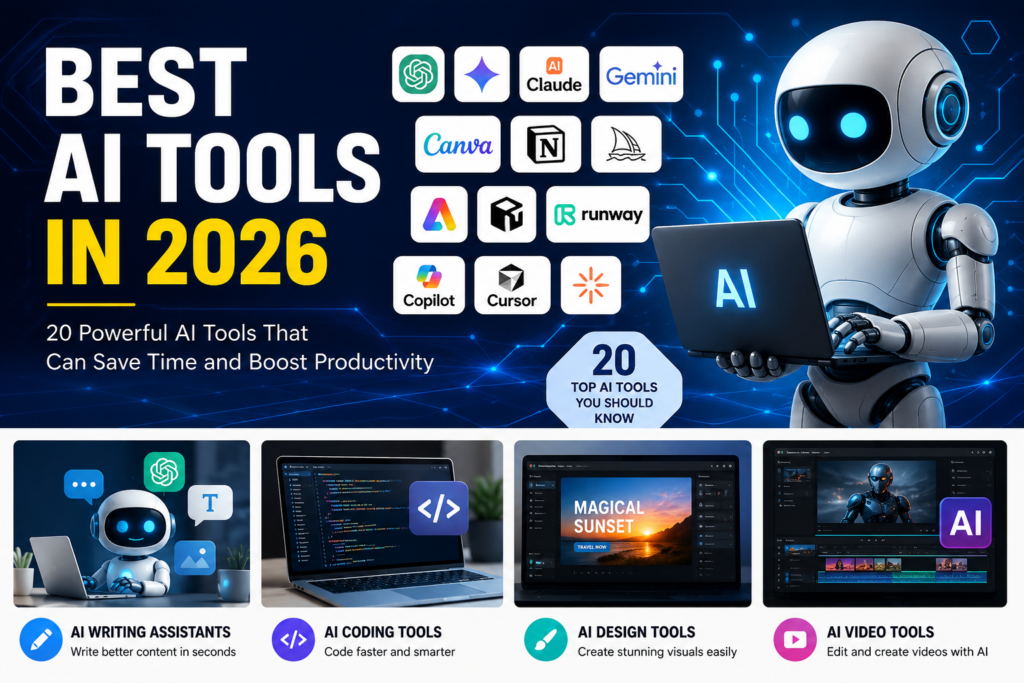
Best AI Tools in 2026: 20 Powerful AI Tools That Can Save Time and Boost Productivity
Artificial Intelligence (AI) has become a part of everyday life. Whether you are a student, freelancer, business owner, content creator, or software developer, AI tools can help you complete tasks faster and improve the quality of your work.
In 2026, AI tools are no longer limited to writing text. They can generate videos, design logos, build websites, write code, create presentations, analyze documents, and even automate repetitive tasks. Many companies are also adding “AI agents” that can carry out multi-step tasks such as planning projects, scheduling meetings, and preparing reports.
In this guide, we explore the best AI tools in 2026, their features, pricing, and who should use them.
Quick Comparison Table
| AI Tool | Best For | Free Plan |
|---|---|---|
| ChatGPT | Writing, coding, research | Yes |
| Google Gemini | Research & Google Workspace | Yes |
| Claude | Long documents & analysis | Yes |
| Perplexity AI | Web research | Yes |
| Microsoft Copilot | Microsoft Office users | Limited |
| Cursor | AI coding | Yes |
| GitHub Copilot | Programming | Trial |
| Canva AI | Graphic design | Yes |
| Adobe Firefly | Image editing | Yes |
| Midjourney | AI artwork | No |
| Runway | AI video creation | Yes |
| HeyGen | AI avatar videos | Trial |
| NotebookLM | Study & research | Yes |
| Notion AI | Notes & productivity | Yes |
| Grammarly | Writing improvement | Yes |
| Suno | AI music | Yes |
| ElevenLabs | AI voice generation | Yes |
| Lovable | AI website builder | Trial |
| Zapier AI | Workflow automation | Yes |
| Gamma | AI presentations | Yes |
1. ChatGPT
ChatGPT remains one of the most versatile AI assistants in 2026. It helps users write articles, summarize reports, generate code, solve problems, brainstorm ideas, and create images.
Best for
- Bloggers
- Students
- Developers
- Business owners
- Marketing professionals
Key Features
- Writing assistance
- Deep research
- Coding support
- Image generation
- Voice conversations
- Document analysis
2. Google Gemini
Google Gemini integrates with Gmail, Docs, Sheets, Drive, and Search, making it especially useful for people already using Google’s ecosystem.
Best for
- Google Workspace users
- Students
- Researchers
3. Claude
Claude is widely appreciated for handling long documents and producing clear, well-structured explanations. It is a popular choice for analyzing PDFs, reports, and legal or technical documents.
Best for
- Researchers
- Writers
- Legal professionals
4. Perplexity AI
Perplexity AI combines AI answers with real-time web search and source citations.
Best for
- Fact-checking
- Research
- News
- Learning
5. Microsoft Copilot
Microsoft Copilot works inside Word, Excel, Outlook, and PowerPoint.
It can:
- Draft emails
- Analyze spreadsheets
- Create presentations
- Summarize meetings
6. Cursor
Cursor has become one of the favorite AI-powered code editors among developers.
Features include:
- Code generation
- Bug fixing
- AI chat
- Project understanding
7. GitHub Copilot
GitHub Copilot helps developers write code faster by suggesting functions, completing code, and explaining programming concepts.
8. Canva AI
Canva AI enables users to create professional social media posts, presentations, logos, posters, and marketing materials without advanced design skills.
Perfect for:
- Small businesses
- YouTubers
- Instagram creators
9. Adobe Firefly
Adobe Firefly focuses on AI-powered image editing and creative design. Its latest updates add stronger image, video, and audio editing features, particularly for users already in the Adobe ecosystem.
10. Midjourney
Midjourney remains one of the best AI image-generation tools for creating realistic artwork, concept art, and creative illustrations.
Best for:
- Designers
- Artists
- Game developers
11. Runway
Runway allows creators to:
- Generate videos
- Remove backgrounds
- Edit clips
- Create cinematic effects
12. HeyGen
HeyGen creates AI avatar videos in multiple languages.
Businesses use it for:
- Marketing
- Training
- Customer support
- Product demos
13. NotebookLM
NotebookLM helps users upload documents and ask questions based only on their own files.
Excellent for:
- Students
- Researchers
- Professionals
14. Notion AI
Notion AI combines note-taking, project management, and AI writing into one workspace.
15. Grammarly
Grammarly checks:
- Grammar
- Spelling
- Tone
- Readability
- Writing clarity
16. Suno
Suno can generate complete songs using only a text prompt.
Ideal for:
- Musicians
- YouTubers
- Content creators
17. ElevenLabs
ElevenLabs generates realistic AI voices suitable for:
- Audiobooks
- YouTube videos
- Podcasts
- E-learning
18. Lovable
Lovable allows users to build websites and web applications using natural language prompts instead of writing code.
19. Zapier AI
Zapier AI automates repetitive work by connecting different apps and creating workflows.
Example:
- Gmail → Google Sheets
- Shopify → Slack
- WordPress → Email
20. Gamma
Gamma creates beautiful presentations automatically.
Simply provide:
- Topic
- Audience
- Style
The AI generates slides within minutes.
How to Choose the Right AI Tool
Choose your tool based on your goal.
| Purpose | Recommended Tool |
|---|---|
| Writing | ChatGPT, Claude |
| Research | Perplexity AI, Gemini |
| Coding | Cursor, GitHub Copilot |
| Graphic Design | Canva AI, Adobe Firefly |
| AI Images | Midjourney |
| Video Editing | Runway |
| AI Voice | ElevenLabs |
| Music | Suno |
| Productivity | Notion AI |
| Presentations | Gamma |
Are AI Tools Safe?
Most popular AI platforms invest heavily in security and privacy, but you should still avoid uploading confidential business documents, financial information, passwords, or personal data unless you understand the platform’s privacy policies.
Frequently Asked Questions
Which is the best AI tool in 2026?
There is no single best tool for everyone. ChatGPT, Gemini, Claude, and Perplexity are among the strongest all-round AI assistants, while Canva AI, Cursor, and Adobe Firefly are excellent for specific tasks.
Which AI tool is free?
Many AI tools offer free plans, including ChatGPT, Gemini, Claude, Perplexity AI, Canva AI, Grammarly, NotebookLM, and Gamma.
Which AI tool is best for students?
NotebookLM, ChatGPT, Gemini, Claude, and Perplexity AI are excellent choices for studying, research, and exam preparation.
Which AI tool is best for content creators?
Content creators often use ChatGPT for writing, Canva AI for graphics, Runway for video editing, ElevenLabs for voiceovers, and Suno for music.
Final Thoughts
AI tools in 2026 have become powerful productivity partners rather than simple chatbots. Whether you want to write articles, edit videos, build websites, create presentations, or automate your daily workflow, there is an AI tool designed for your needs.
Instead of trying every new tool, start with a few that match your work. As your requirements grow, you can add specialized tools for design, coding, research, or automation. By choosing the right combination, you can save time, improve your output, and stay competitive in an increasingly AI-driven world.
Also See Related Article Can AI Take Over Jobs in the IT Sector? The Truth Every Tech Professional Should Know, AI Scams Explained: How Criminals Use Artificial Intelligence to Trick People and How You Can Stay Safe, AI in Daily Life: How Artificial Intelligence Is Making Our Everyday Life Easier